





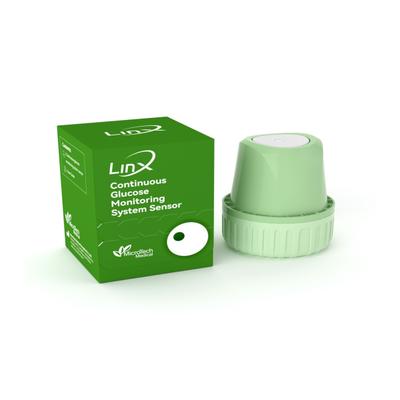



LinX CGM Smart Continous Glucose Monitoring System Sensor Device 1's

Netmeds First Membership
Description
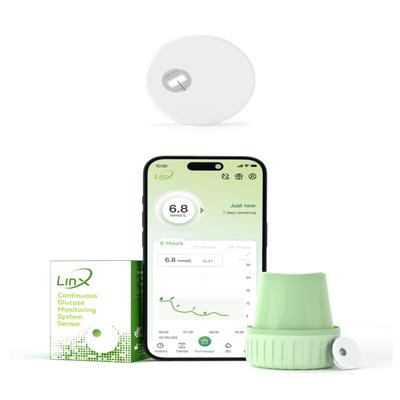
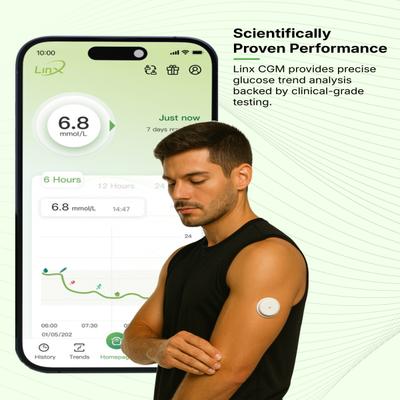
The LinX CGM is a continuous glucose monitoring system designed for individuals with diabetes aged 18 and older. It provides real-time glucose readings every minute, transmitting the data via Bluetooth to a compatible smartphone app. This system measures glucose levels in the interstitial fluid through a small, discreet sensor worn on the body. It is intended to help manage diabetes by tracking glucose trends and patterns, and aiding in the detection of high and low glucose episodes.
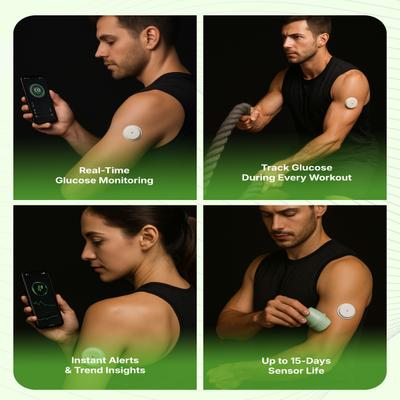
Real-Time Glucose Monitoring: The sensor delivers glucose readings every minute to a smartphone app, allowing for constant tracking. Discreet and Compact Design: The sensor is one of the smallest available, designed to be lightweight and blend in with your daily routine. Extended Sensor Life: Each sensor can be worn for up to 15 days, providing prolonged monitoring before needing replacement. Water-Resistant: The sensor has an IP68 water-resistance rating, allowing it to be worn while showering, swimming, or exercising. Customizable Alerts: The companion app allows users to set personalized alerts for high and low glucose levels. Data Sharing: Glucose data and trends can be shared with healthcare providers or family members directly from the app for better management support. Simple Application: The sensor features a one-step applicator for a straightforward and quick setup process.
Q: How long can I use one LinX CGM sensor?
A: Each LinX CGM sensor is designed for a life of up to 15 days, after which it should be replaced to maintain accuracy.
Q: Is the LinX CGM sensor water-resistant?
A: Yes, the sensor has an IP68 rating, which means it is water-resistant and can be worn while showering or swimming.
Q: How do I view my glucose readings?
A: The sensor transmits glucose data to the LinX CGM app on your compatible smartphone, allowing you to see real-time readings, trends, and patterns.
Q: Does the LinX CGM system require finger-prick calibration?
A: No, the LinX CGM is designed to be used without the need for routine finger-prick calibrations.
Q: Should I consult a healthcare professional before using this device?
A: It is advisable to consult with your doctor or a healthcare professional to determine if this continuous glucose monitoring system is suitable for your diabetes management plan.
The LinX CGM is a continuous glucose monitoring system designed for individuals with diabetes aged 18 and older. It provides real-time glucose readings every minute, transmitting the data via Bluet...
Key Benefits
Provides continuous glucose data without the need for routine finger-prick tests, offering a more convenient way to manage diabetes. Delivers real-time glucose readings every minute, enabling users to see how diet and exercise impact their levels. Allows for setting customizable alerts for high and low glucose levels, enhancing safety and awareness. Features a water-resistant design, permitting uninterrupted monitoring during daily activities like swimming or showering. Enables easy sharing of glucose data with caregivers and healthcare professionals for collaborative health management.
Provides continuous glucose data without the need for routine finger-prick tests, offering a more convenient way to manage diabetes. Delivers real-time glucose readings every minute, enabling users...
Direction for Use/Dosage
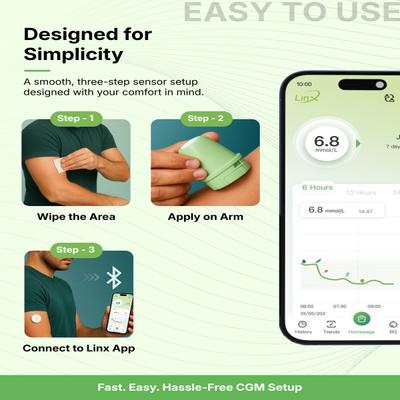
1. Download the LinX CGM app from the Google Play Store or Apple App Store. 2. Prepare the application site, typically the back of the upper arm or abdomen, by cleaning and disinfecting the skin. Let it air dry. 3. Unscrew the cover from the sensor applicator. 4. Place the applicator firmly on the prepared skin and press the white button to insert the sensor. 5. Gently pull the applicator away, leaving the sensor attached to the skin. 6. Open the app and pair the sensor by selecting its serial number from the list of nearby devices. 7. The system will enter a 60-minute warm-up phase, after which it will begin displaying glucose readings.
1. Download the LinX CGM app from the Google Play Store or Apple App Store. 2. Prepare the application site, typically the back of the upper arm or abdomen, by cleaning and disinfecting the skin. L...
Safety Information/Precaution
It is recommended to consult a healthcare professional on how to use the sensor information to manage diabetes. The most common side effects may include skin redness or ulceration at the insertion site. Readings from interstitial fluid can differ from capillary blood glucose, especially during rapid changes in blood sugar after meals, insulin, or exercise. Remove the sensor before undergoing medical procedures involving strong magnetic or electromagnetic radiation, such as an MRI or CT scan. The sensor applicator is sterile if the package is unopened and undamaged. Do not freeze the sensor or use it after the expiration date. Calibration is generally not required but should not be done within the first 6 hours of sensor use if you choose to do so. Avoid calibration when glucose levels are rapidly changing.
It is recommended to consult a healthcare professional on how to use the sensor information to manage diabetes. The most common side effects may include skin redness or ulceration at the insertion ...
Other Information
Each sensor is designed to last for up to 15 days. The app will provide a notification when it is time to replace the sensor. The system is compatible with both Android and iOS devices. The sensor communicates with the smartphone app via Bluetooth and should be kept within a range of 2 meters (6.56 ft) to receive alerts.
Each sensor is designed to last for up to 15 days. The app will provide a notification when it is time to replace the sensor. The system is compatible with both Android and iOS devices. The sensor ...